InBrowser Beta2.43
Publisher Description


InBrowser is a fully featured incognito/private browsing experience for Android.
InBrowser is an incognito/private browser for Android with TOR and video support. Each time you exit InBrowser, everything you’ve done in the app will be erased, including history, cookies, and sessions. InBrowser is a feature rich browser, and it’s in permanent private mode.
☆ This is the optimal browser if you want to visit adult websites, dating sites, medical sites, check Facebook on a friends device, watch a video or anything else without anyone finding out! ☆
For support, please check out our GetSatisfaction page at http://getsatisfaction.com/tompodapps. Note that support for InBrowser is only available in English and Swedish. Please don't downgrade on Google Play due to support-issues.
Features:
✓ Absolutely no data is saved.
When you exit the app, all data and history is removed. Everything that goes on in the browser is removed when you hit Home, Exit, or Close.
✓ The Onion Router (TOR) support via Orbot.
Browse the Internet anonymously and encrypted through the TOR network and access content that has been blocked by your ISP, network or government. Requires Orbot to be installed and running.
✓ Tabbed Browsing
InBrowser’s tabbed browsing feature has the ability to quickly switch between several open webpages within a single browsing session.
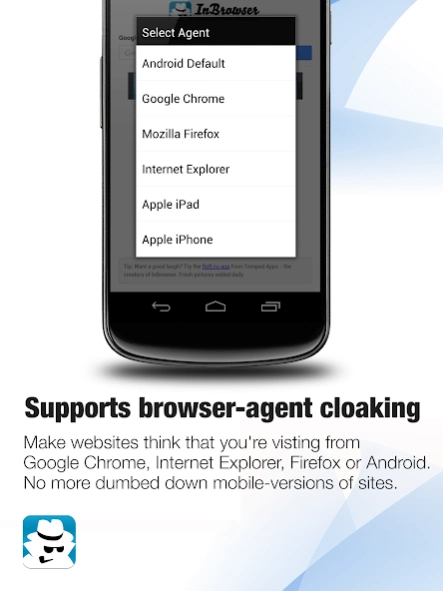
✓ Supports agent cloaking (no more mobile-version of sites!)
Make websites think that you're visiting from Google Chrome, Internet Explorer, Firefox, or Android.
✓ Deep integration with LastPass
LastPass can automatically fill passwords in InBrowser. Stay secure with strong passwords without any hassle.
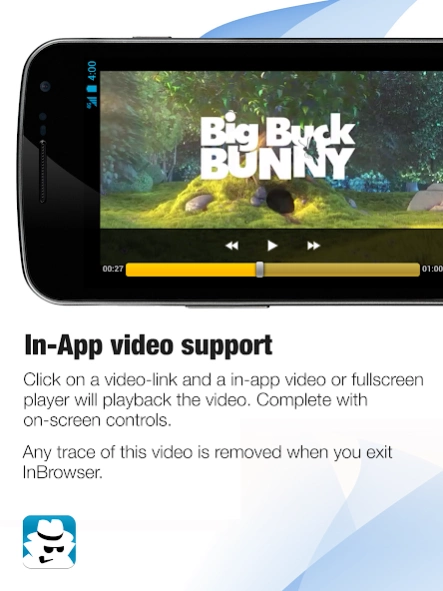
✓ In-App video support
Click on a video-link and an in-app video player will play the video. Any trace of this is removed when you exit the app.
✓ Download files, images, and video to your SD Card in the InBrowser folder.
Long-press on a link to download a file comfortably to your SD-card.
✓ Minimalistic, maximum space for browsing
No junk, no ads, no extra bars - just maximum space for your browsing experience
✓ No ads are bundled in the app, only one or two (html) ads on the start/error-page, and that’s it.
For Adobe Flash-support, ensure that you have the appropriate flash-plugins installed and that your device supports Flash. InBrowser will not provide Flash out of the box, but it does support Flash-content.
Notice that Orbot is required for TOR to work. Orbot is made by the Tor Project and you can download it for free on Google Play, just search for “orbot” and download the one made by “The Tor Project”.
Works on Android 2.1 and upwards including all mobile and tablet-devices including Android 3.0 Honeycomb, Android 4.0 Ice Cream Sandwich and Android 5.0 Lollipop.
About InBrowser Beta
The company that develops InBrowser Beta is PIA Private Internet Access, Inc. The latest version released by its developer is 2.43. This app was rated by 1 users of our site and has an average rating of 5.0.
To install InBrowser Beta on your Android device, just click the green Continue To App button above to start the installation process. The app is listed on our website since 2021-04-18 and was downloaded 38 times. We have already checked if the download link is safe, however for your own protection we recommend that you scan the downloaded app with your antivirus. Your antivirus may detect the InBrowser Beta as malware as malware if the download link to nu.tommie.inbrowser.beta is broken.
How to install InBrowser Beta on your Android device:
- Click on the Continue To App button on our website. This will redirect you to Google Play.
- Once the InBrowser Beta is shown in the Google Play listing of your Android device, you can start its download and installation. Tap on the Install button located below the search bar and to the right of the app icon.
- A pop-up window with the permissions required by InBrowser Beta will be shown. Click on Accept to continue the process.
- InBrowser Beta will be downloaded onto your device, displaying a progress. Once the download completes, the installation will start and you'll get a notification after the installation is finished.
Program Details
System requirements
Download information
Pricing
Version History
version 2.43
posted on 2021-04-18
- Fixes downloads on Android 11
- General improvements
version 2.42.5.191
posted on 2020-02-10
Further improved Android 10 "Q" compatibility.
version 2.42.2.190
posted on 2019-08-22
Version 188+, 2019-08-22
[Bugfix] Android devices running 9 and above will automatically follow the system based dark/night mode to avoid incompatibles with custom dark-mode integrations by vendors.
Please notice that previous beta features, like the domain search, has been disabled while we test this patch.
version 2.36.138
posted on 2017-01-17
Version 135-, 2016-12-28,[Improvement] Downloads & ImageViewer has been improved,[Bugfix] Fixed issue where the built in imageviewer could crash when displaying very large images.,[Bugfix] Minor bugfixes,Happy testing and drop us a mail at info@tompod.com if you have any suggestions or questions.
version 1.892
posted on 2013-06-17
Several fixes and updates
